Just type naturally
“Invoice every last Friday at 4pm !! #work” becomes the task you meant — date, time, repeat, priority, tags, even effort.
To Done pulls your own tasks, Apple Reminders, and Google Tasks into one calm Today list — then carries the details: repeats, places, snoozes, and sync across every Apple device you own.
Made for iPhone, iPad, and Mac · Syncs in seconds
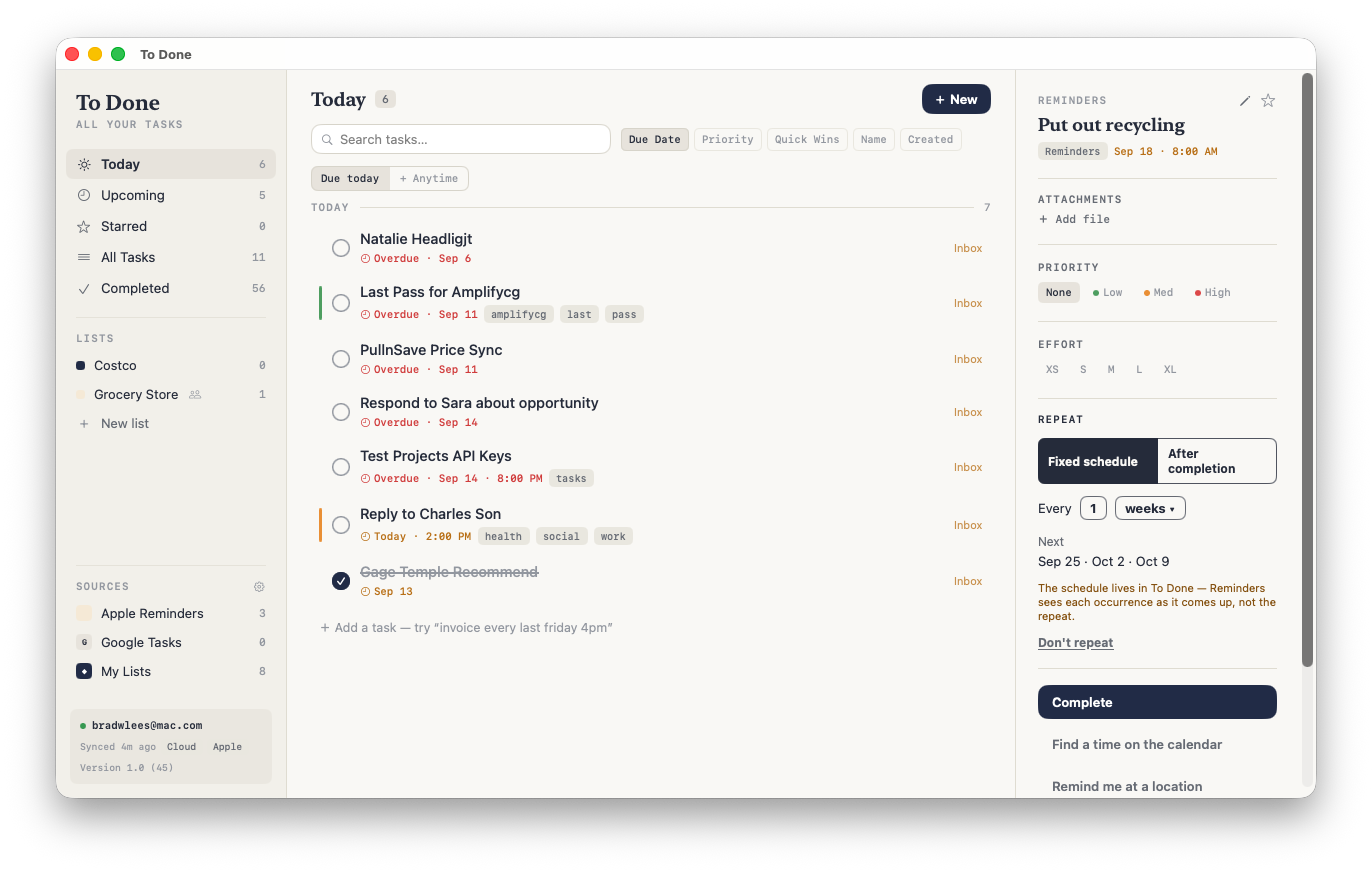
Under the quiet surface, To Done handles the moving parts that make task management feel like work.
“Invoice every last Friday at 4pm !! #work” becomes the task you meant — date, time, repeat, priority, tags, even effort.
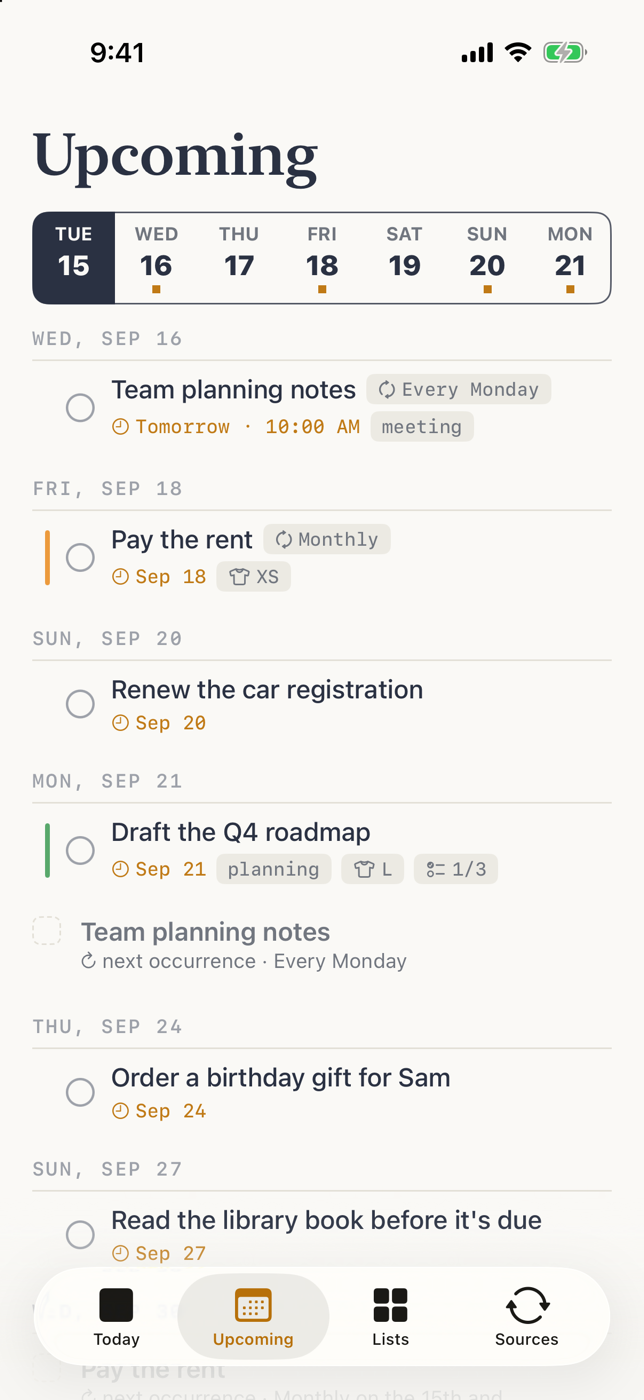
Weekdays, the 15th and the last day, nth Tuesdays, or “three days after I finish.” Skip an occurrence without breaking the pattern.
Apple Reminders and any number of Google accounts merge into the same Today list. Edit or complete here and it writes back there.
Get a nudge when you arrive at the store, the office, or home. Or let Find a Time pick an open slot on your calendar and block it.
Give each task a T-shirt size, then sort by Quick Wins to surface high-priority, low-effort work at the top of your day.
Invite family or teammates with a link or an email. Everyone adds, edits, and checks off, and every change shows up live.
Snooze with one tap. Undo a deletion, or pull it back from the Trash for 30 days. Your plan can bend without breaking.
Every field merges thoughtfully across devices, so a note typed on the Mac never erases a due date set on the phone.
Notes with live links, checklists, photos and files, email links that reopen the message, and a Logbook of everything you finished.
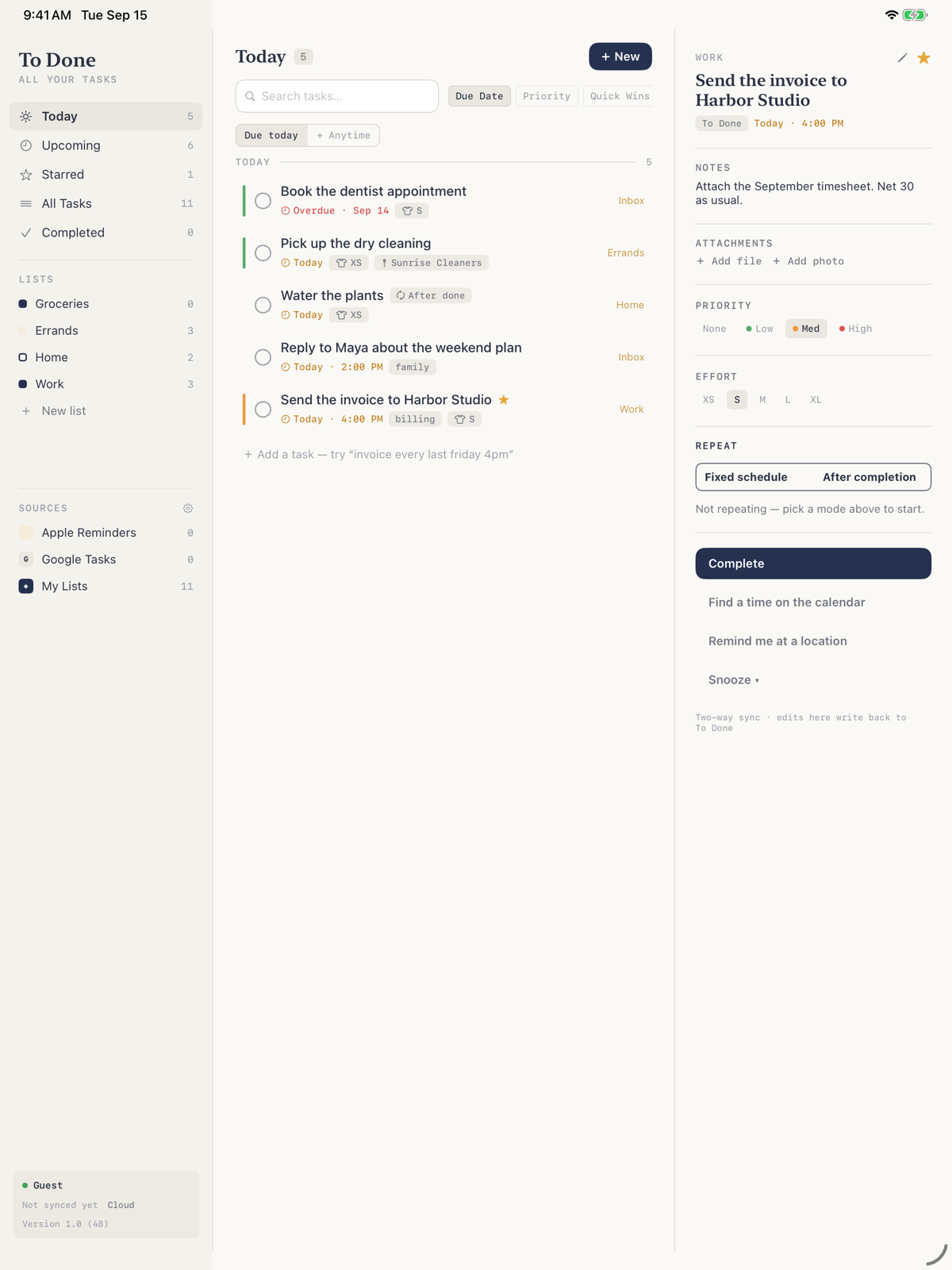
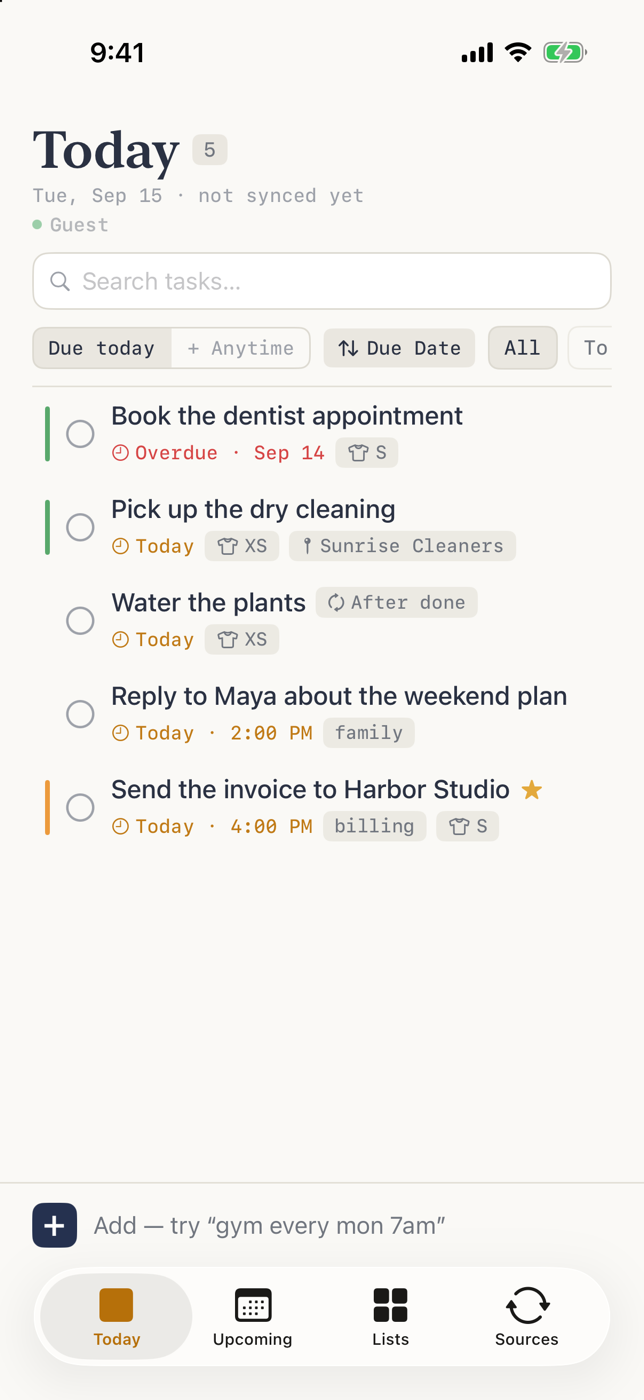
Tabs on iPhone. Sidebar, list, and inspector on iPad and Mac. One account keeps them all current.
“Hey Siri, add ‘call the dentist tomorrow’ to To Done.” Shortcuts actions for adding tasks and asking what’s due today.
Send a web page, an email, or selected text from any app with the share sheet, or use the Mac Services menu and a global hotkey.
A Home Screen widget shows what’s due and lets you check things off without opening the app.
To Done sweats the tiny details: the task you captured from an email, the repeat that rolls forward, the reminder that knows you’re nearby. You get to keep moving.
Coming soon to the App Store for iPhone, iPad, and Mac.
Coming soon to the App StoreFor iPhone, iPad and Mac · Free to download